Luminaire Level Lighting Controls are a modern lighting control solution that allows incremental control at luminaire level, enabling individual fixtures to be controlled based on occupancy, daylight and other factors.
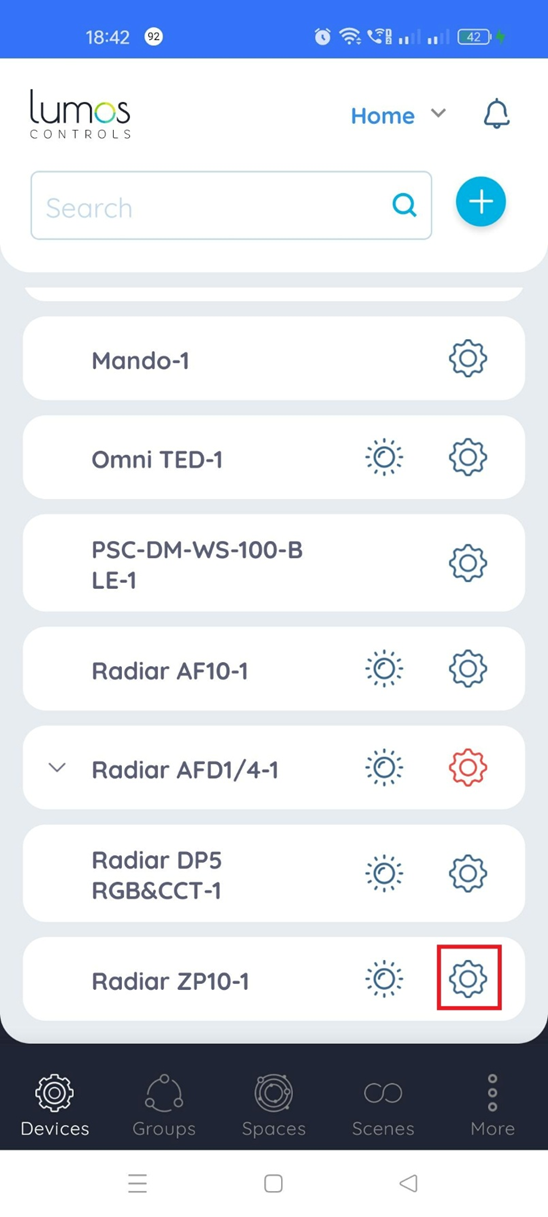
1. Select the 'Settings' icon of the Radiar ZP10 device
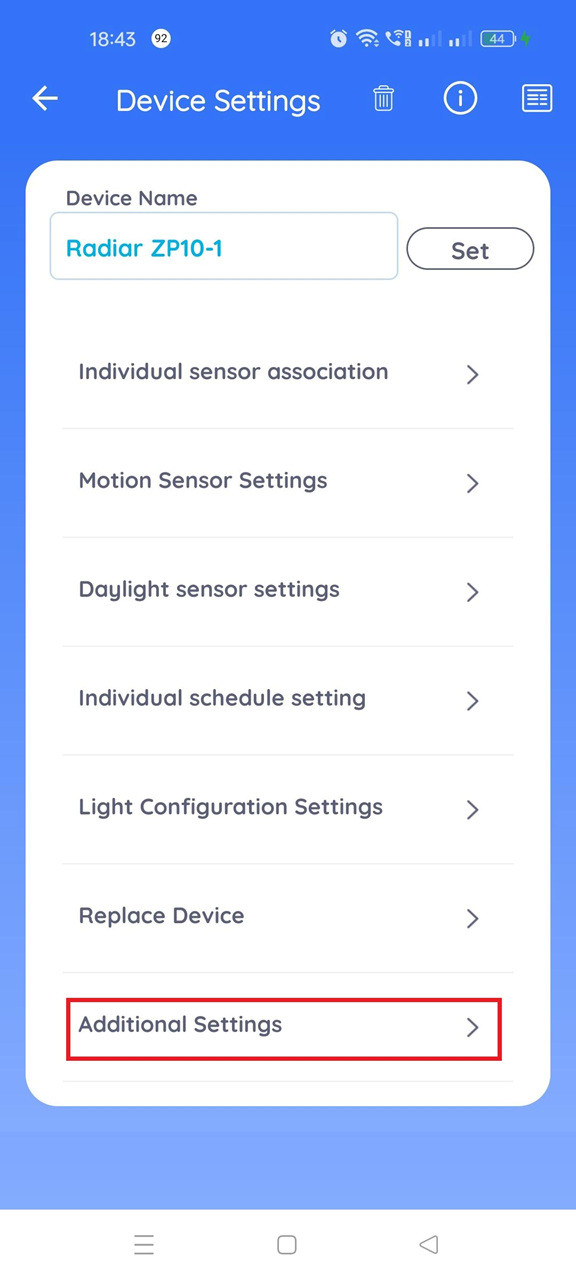
2. Select the 'Additional Settings' option
3. Select the 'LLLC Setting' option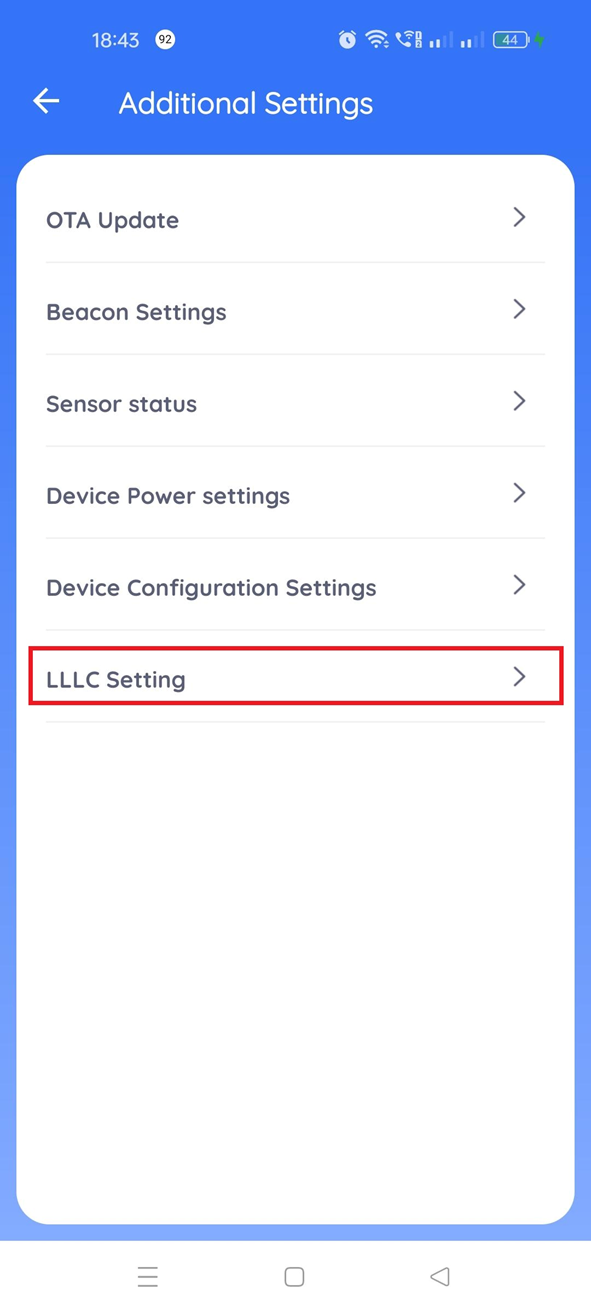
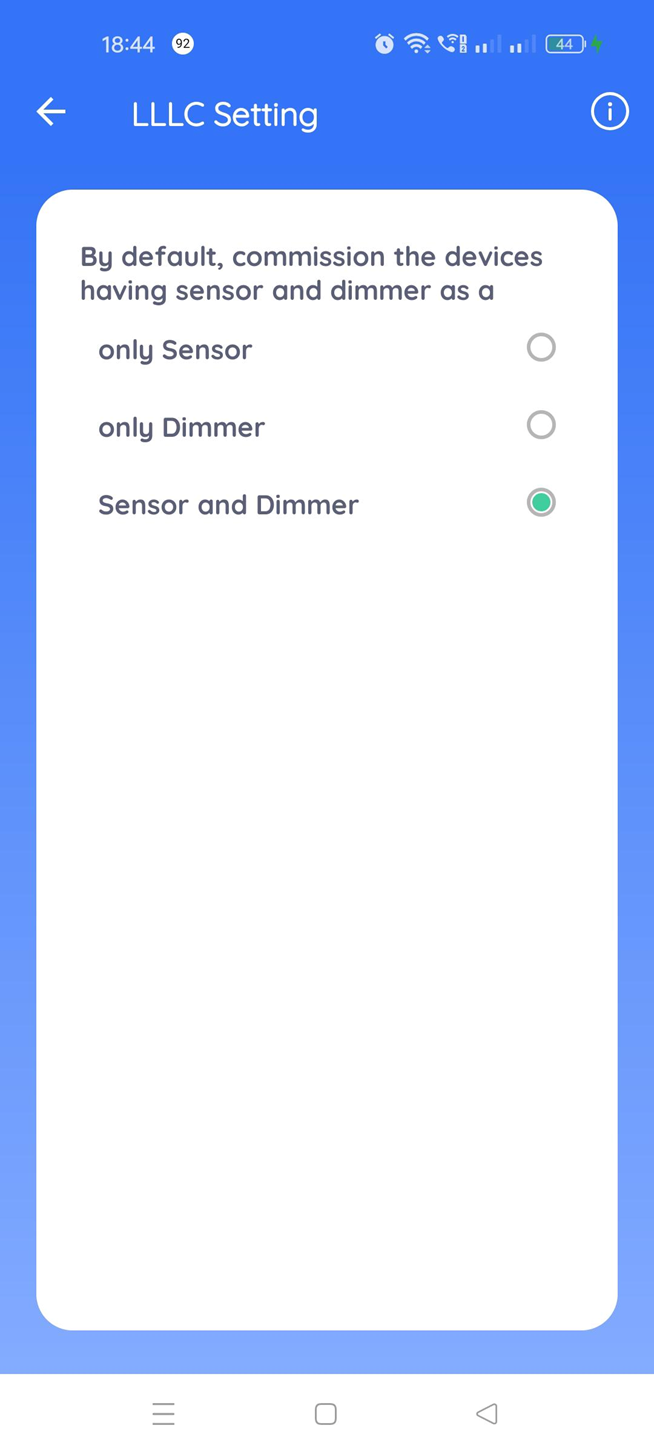
4. Radiar ZP10 can function as a controller, sensor or both as a controller and sensor, select the required option from the listed options.
Was this article helpful?
That’s Great!
Thank you for your feedback
Sorry! We couldn't be helpful
Thank you for your feedback
Feedback sent
We appreciate your effort and will try to fix the article