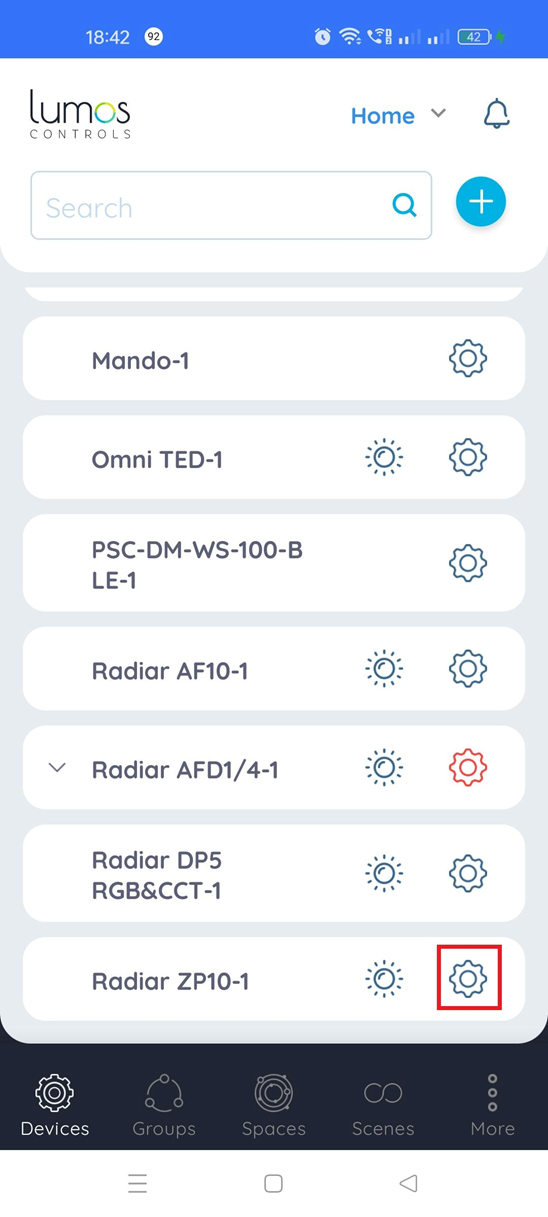
1. To associate or dissociate the required sensor to the Radiar ZP10 controller,
2. Select the 'Settings' icon
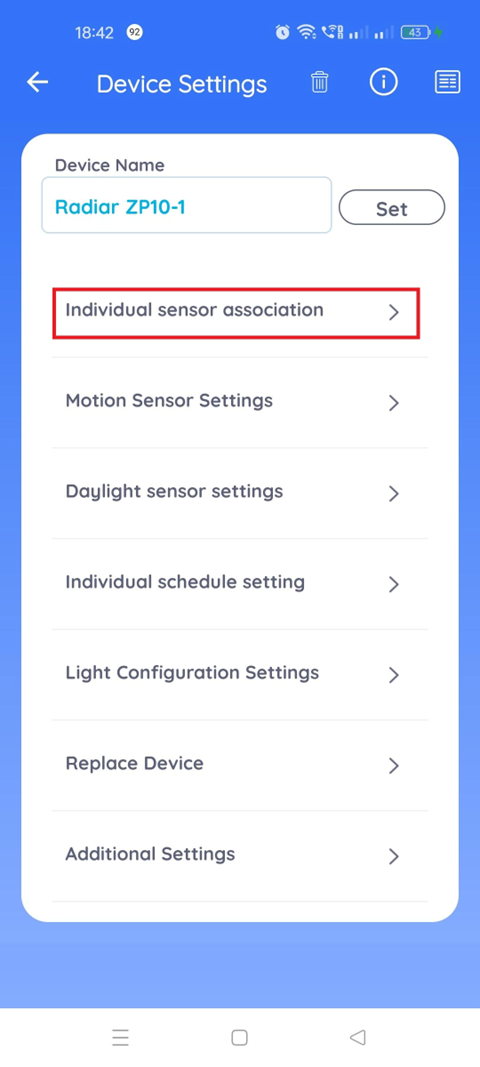
3. In the Device Settings page, select 'Individual sensor association' option
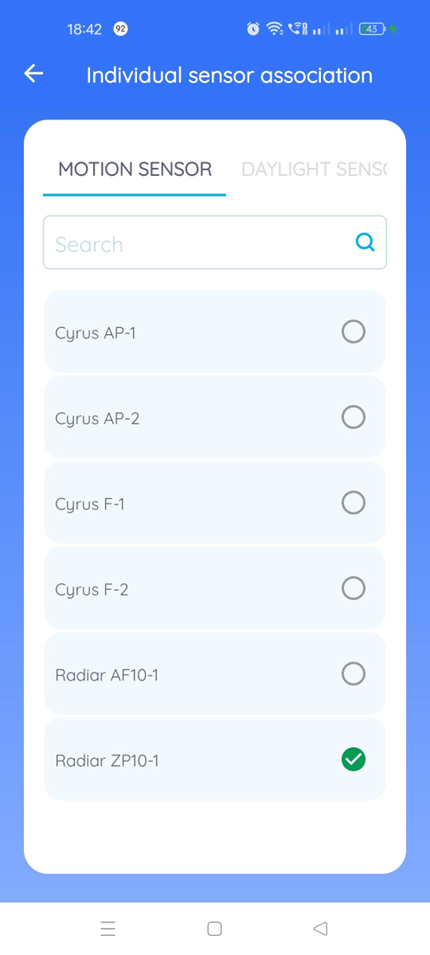
4. By default the sensors listed under the 'Motion Sensor' option will be displayed.
5. Select the required sensor that shall be associated with the controller as a Motion Sensor.
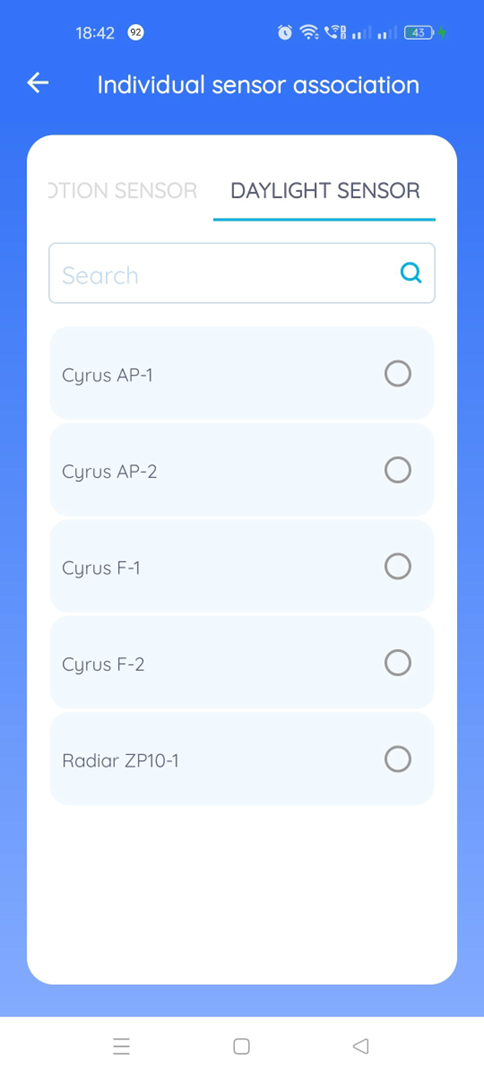
6. If the Daylight Sensor needs to be associated with the controller, select 'Daylight Sensor' option, select the required sensor to be associated.
Was this article helpful?
That’s Great!
Thank you for your feedback
Sorry! We couldn't be helpful
Thank you for your feedback
Feedback sent
We appreciate your effort and will try to fix the article