- Power the sensor ON, and it will be in pairing mode, ready to be commissioned. Sensor shall be in commissioning mode for 3 minutes. During this period, the device LED shall blink every second (500ms ON and 500ms OFF)
- From the top right corner of the app, choose the zone into which you want to commission the sensor
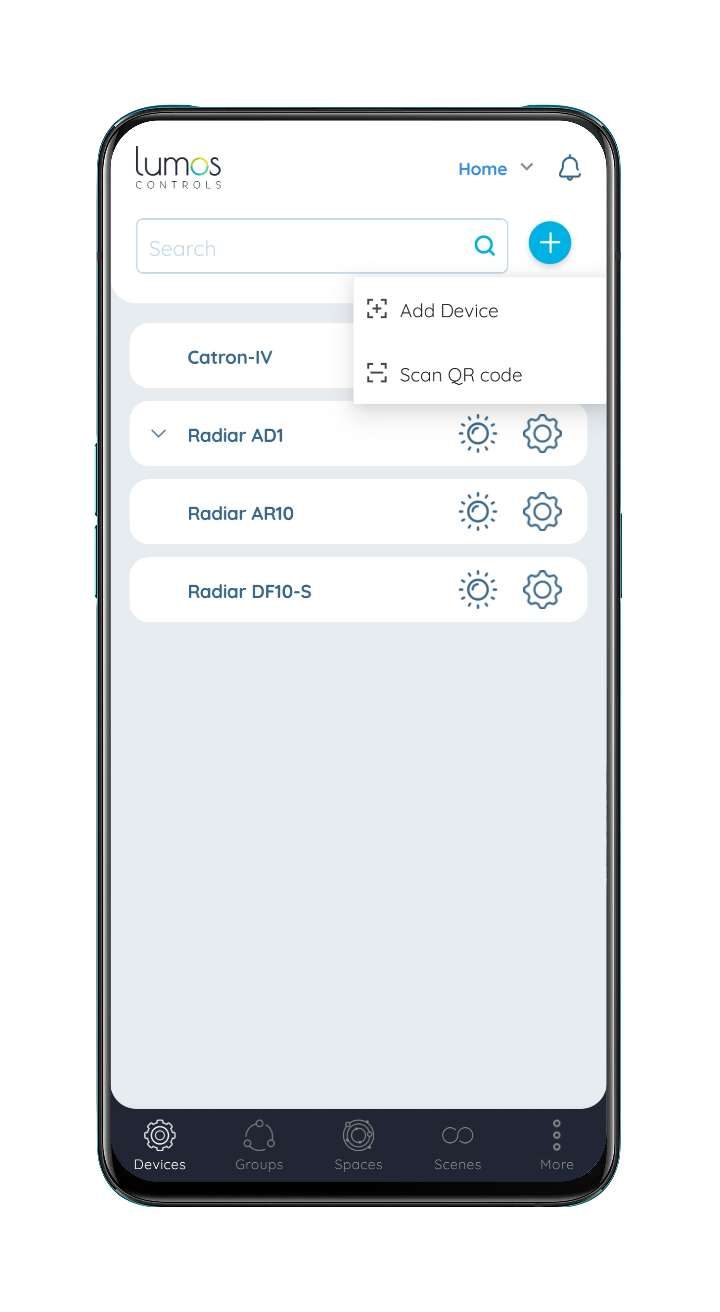
- Go to the 'Devices' tab
- Click on the '+' button and choose the 'Add Device' option
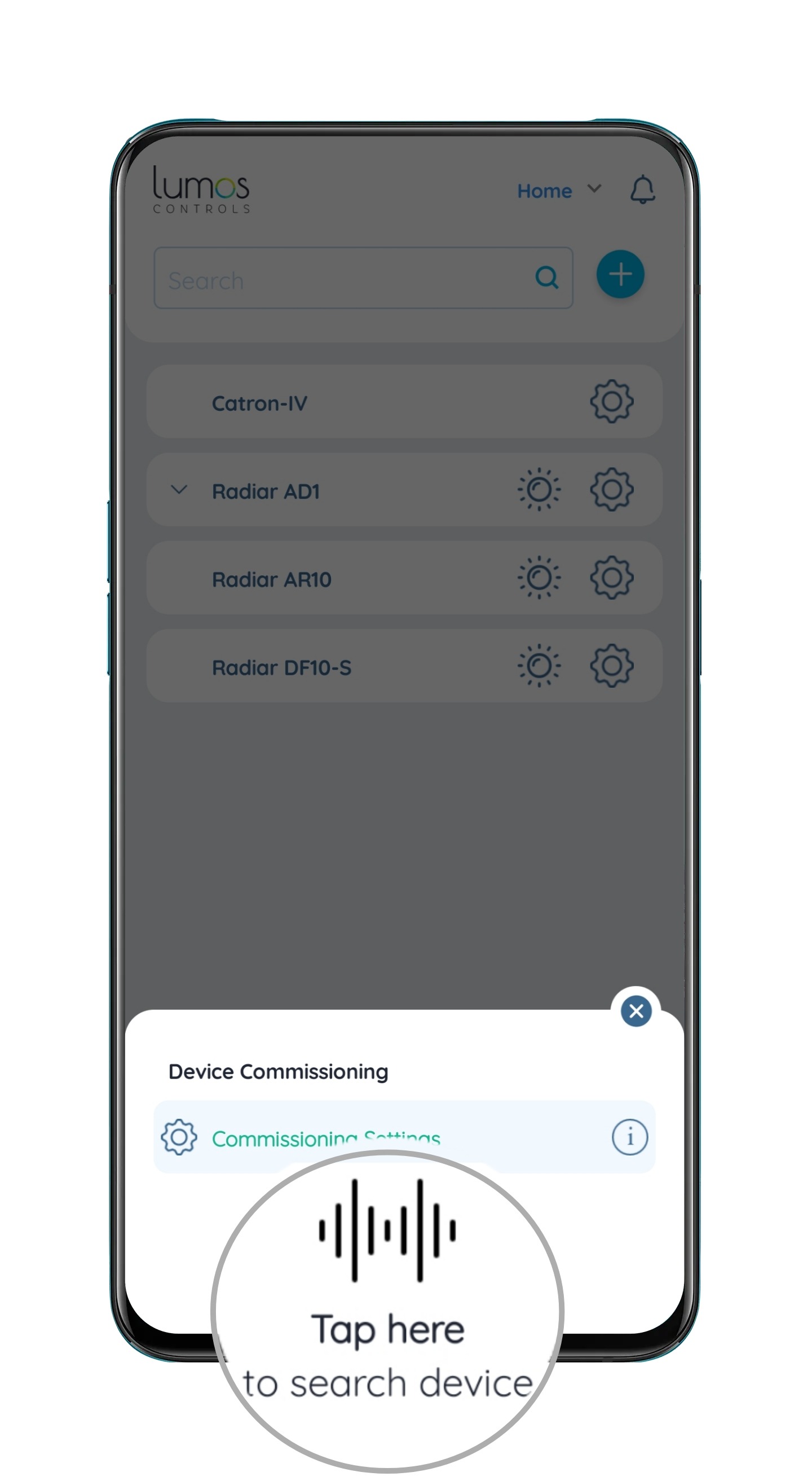
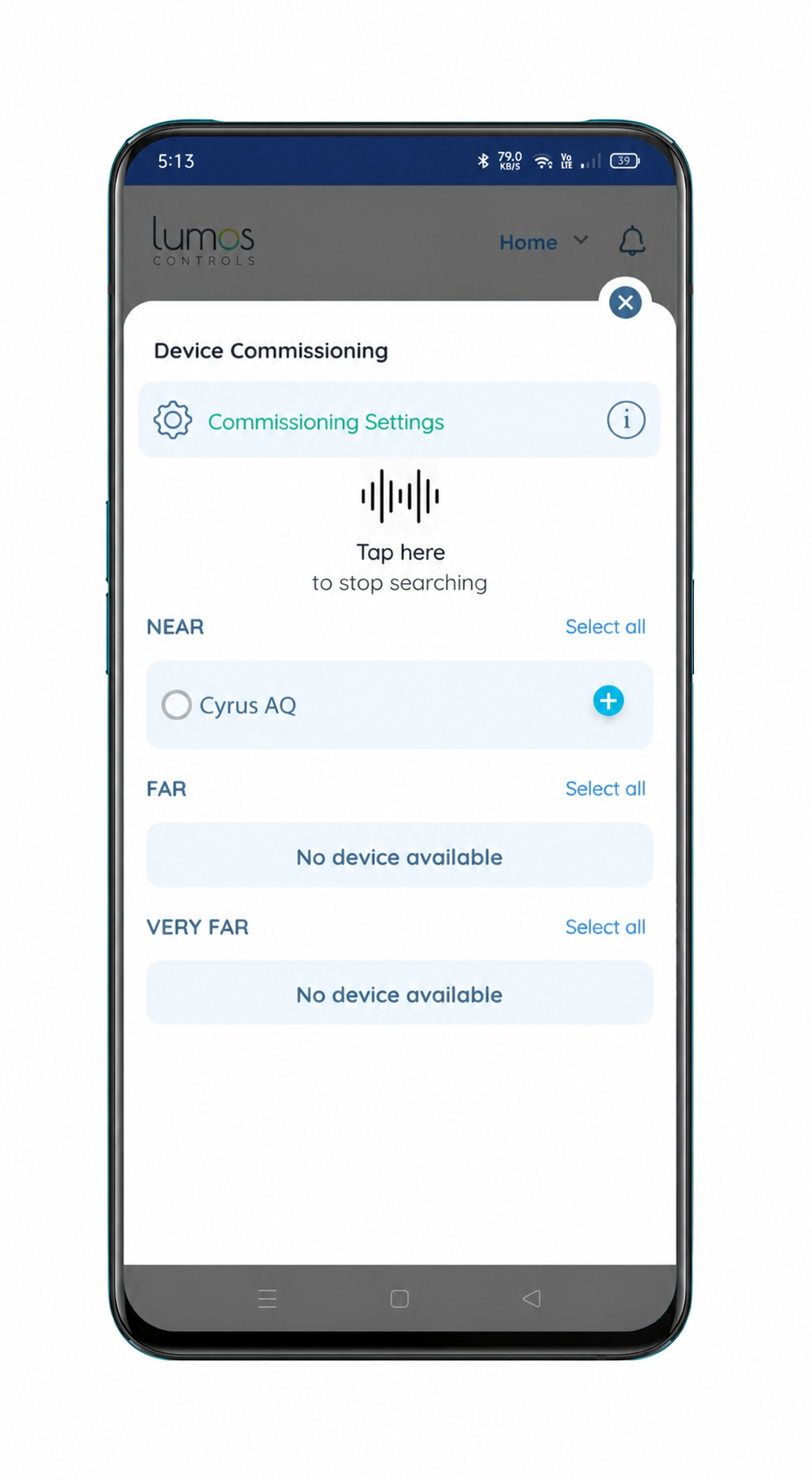
- Click on 'Tap here' and the sensor will be listed
- To identify the device, click on the 'Locate' button. The device LED shall blink every 3 seconds (1.5sec ON and 1.5sec OFF)
- Press the '+' button corresponding to the sensor and the sensor will be commissioned
Was this article helpful?
That’s Great!
Thank you for your feedback
Sorry! We couldn't be helpful
Thank you for your feedback
Feedback sent
We appreciate your effort and will try to fix the article