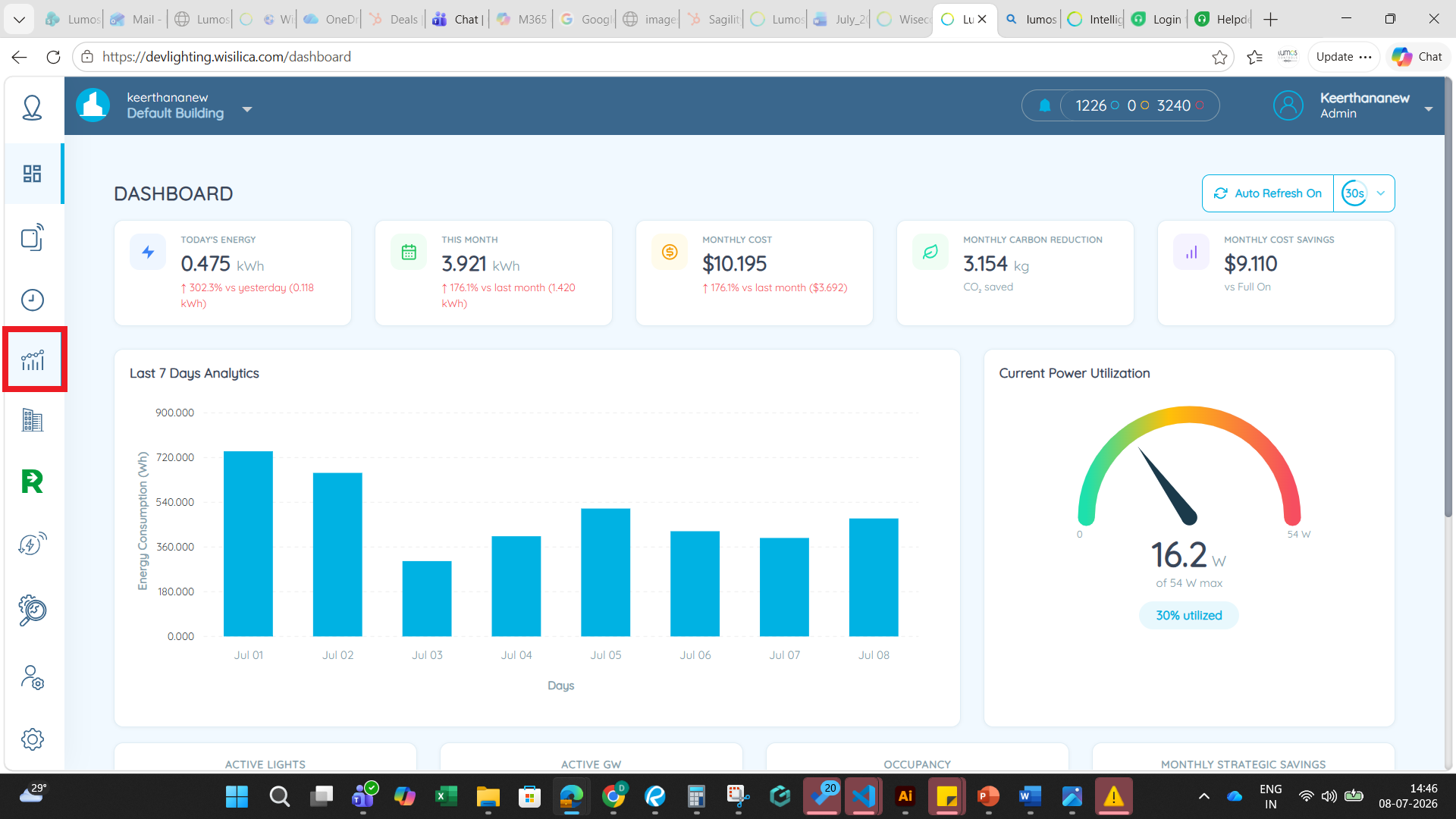
1. To view the Daylight trend reports, select the Reports tab provided on the left.
2. Select the option - 'Daylight'
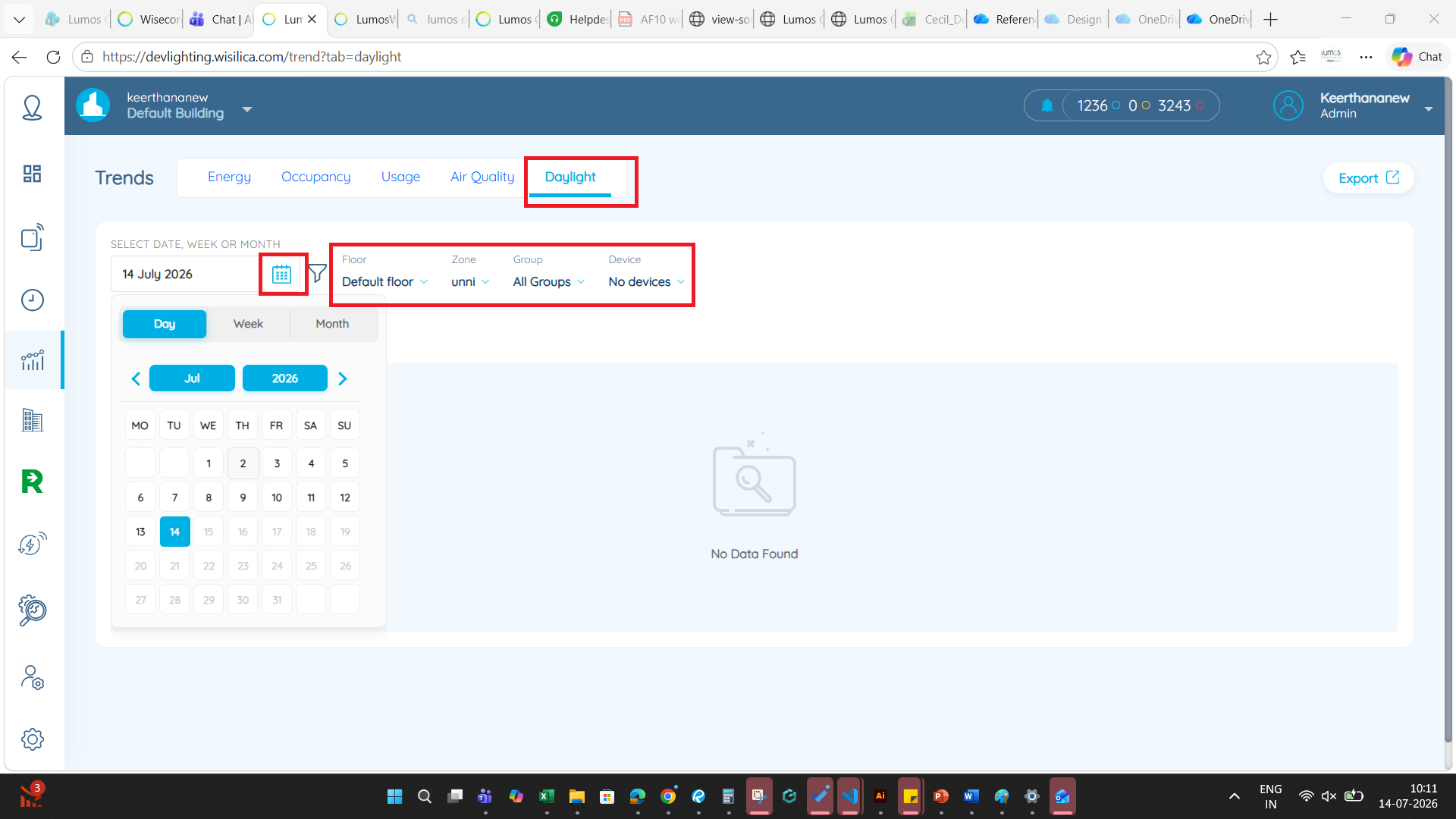
3. Select the Date, Day or the Week for which the value has to be displayed by clicking on the drop down button next to each.
4. Correspondingly select the Floor, Zone, Group and the Device.
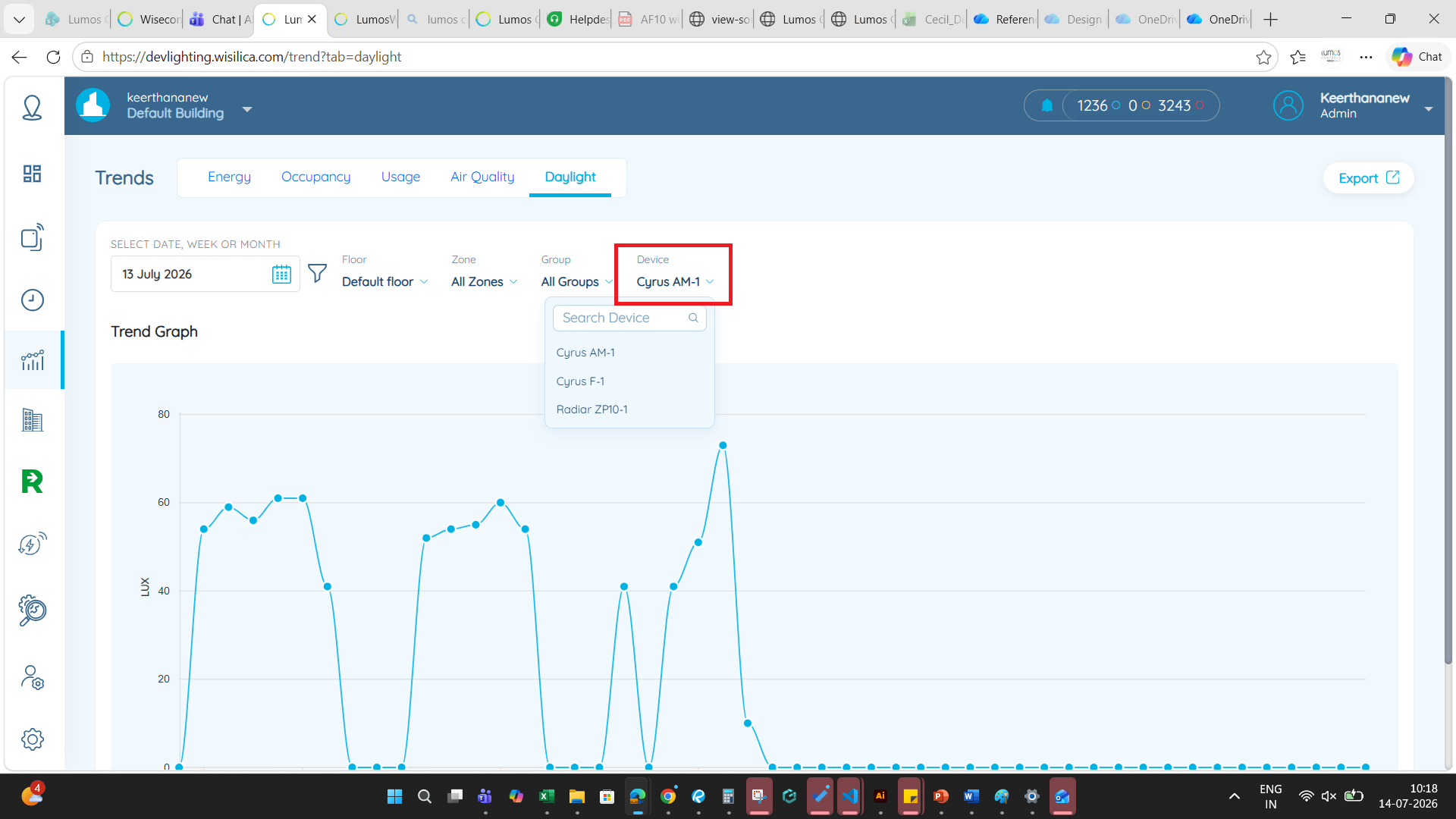
5. The Daylight graph will be displayed.
Was this article helpful?
That’s Great!
Thank you for your feedback
Sorry! We couldn't be helpful
Thank you for your feedback
Feedback sent
We appreciate your effort and will try to fix the article