The Dashboard provides an overview of the selected building’s energy consumption, costs, savings, lighting status, gateway connectivity and occupancy.
Top bar and controls
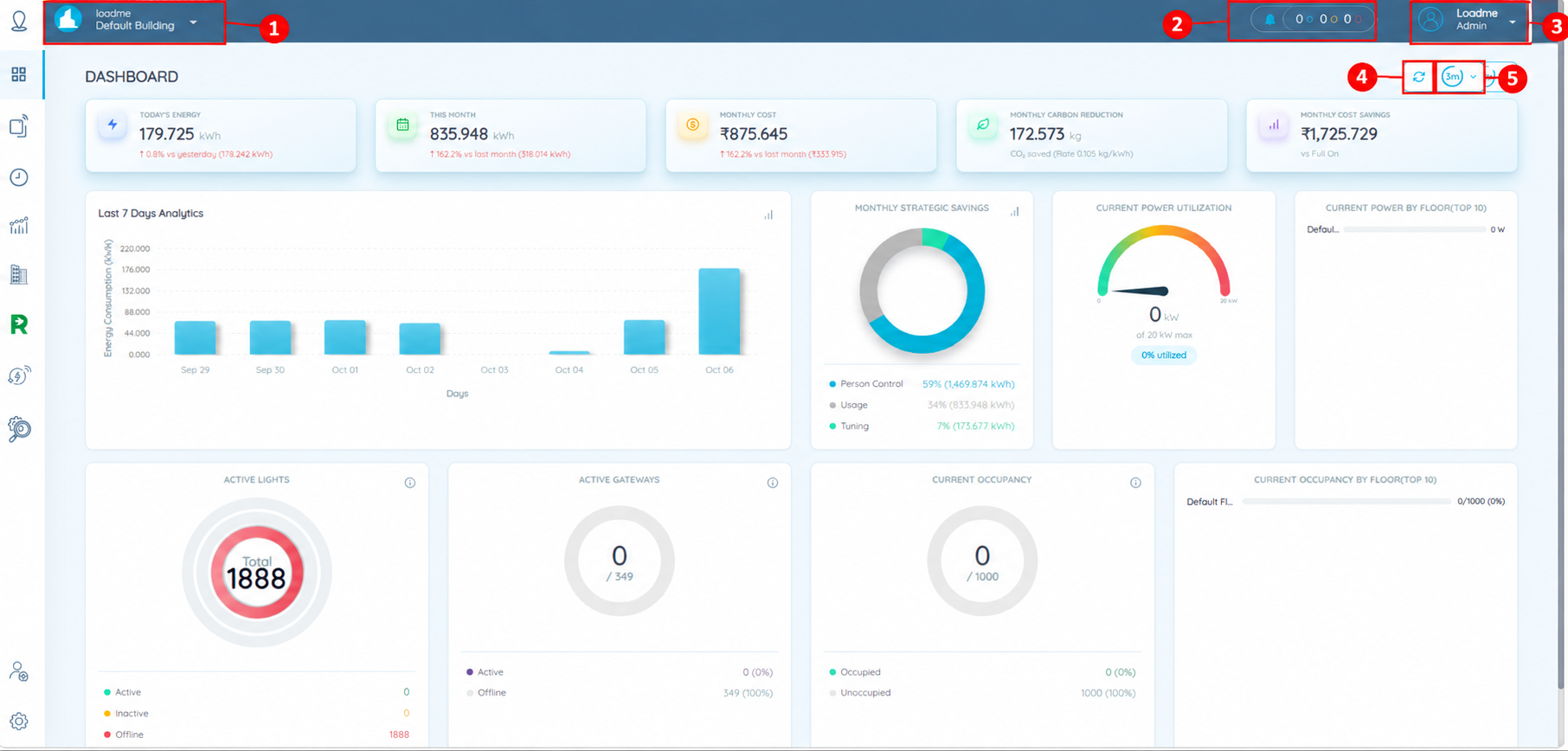
| No. | Control | Description |
|---|---|---|
| 1 | Building selector | Displays the selected building. Click the dropdown to switch to another available building. |
| 2 | Notifications | Opens notifications and alerts. Coloured counters show totals for different alert categories. |
| 3 | User profile | Displays the signed-in user and role. Click the dropdown to access account options. |
| 4 | Refresh | Manually refreshes the dashboard to load the latest available data. |
| 5 | Refresh interval | Sets how often the dashboard refreshes automatically. 3m indicates three minutes. |
Energy summary cards
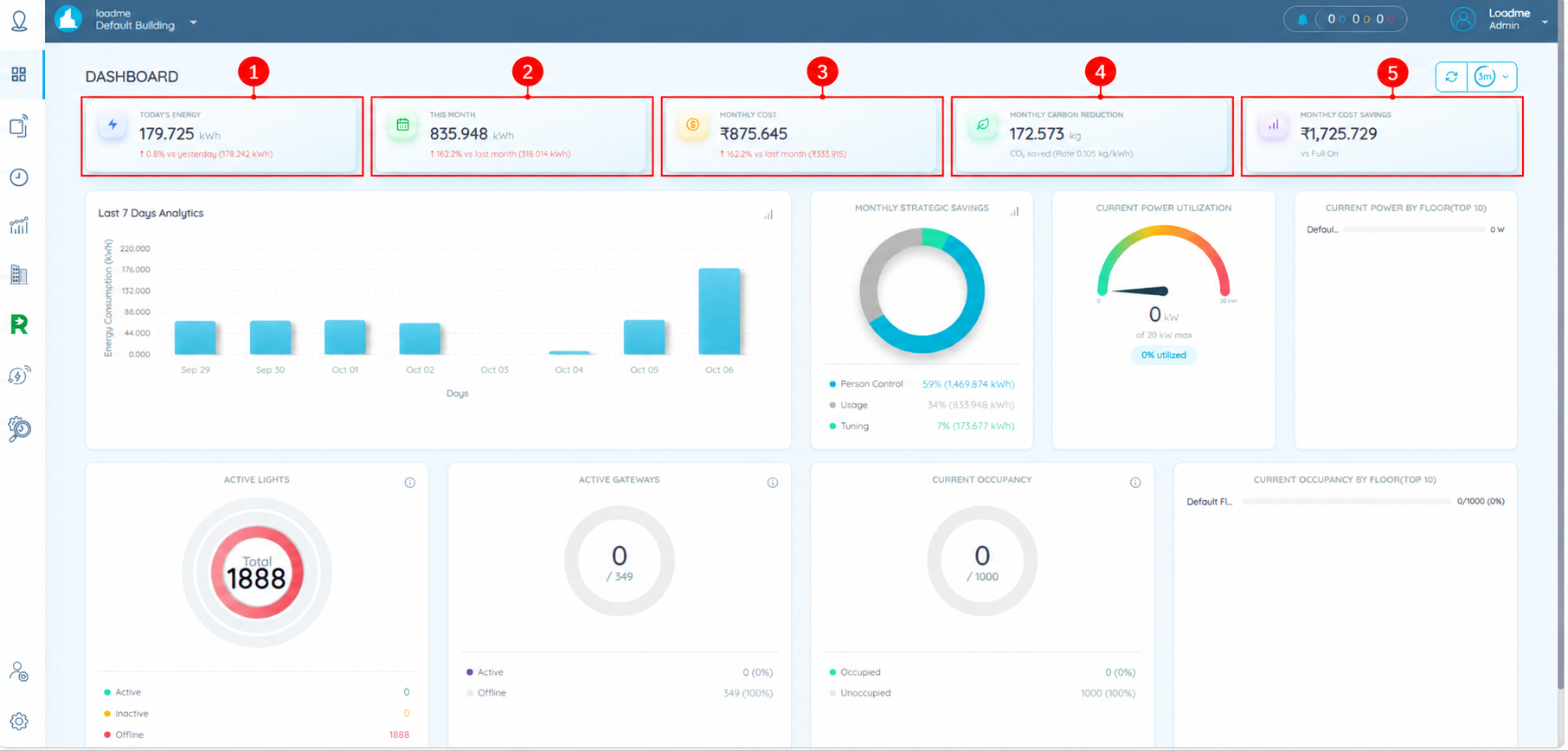
| No. | Card | Description |
|---|---|---|
| 1 | Today’s Energy | Displays today’s energy consumption in kWh and a comparison with yesterday. |
| 2 | This Month | Displays the current month’s energy consumption in kWh and a comparison with the previous month. |
| 3 | Monthly Cost | Displays the calculated energy cost for the current month and a comparison with the previous month. |
| 4 | Monthly Carbon Reduction | Displays estimated CO₂ emissions avoided, in kilograms, based on the indicated conversion rate. |
| 5 | Monthly Cost Savings | Displays estimated savings compared with the “Full On” baseline. |
Dashboard charts
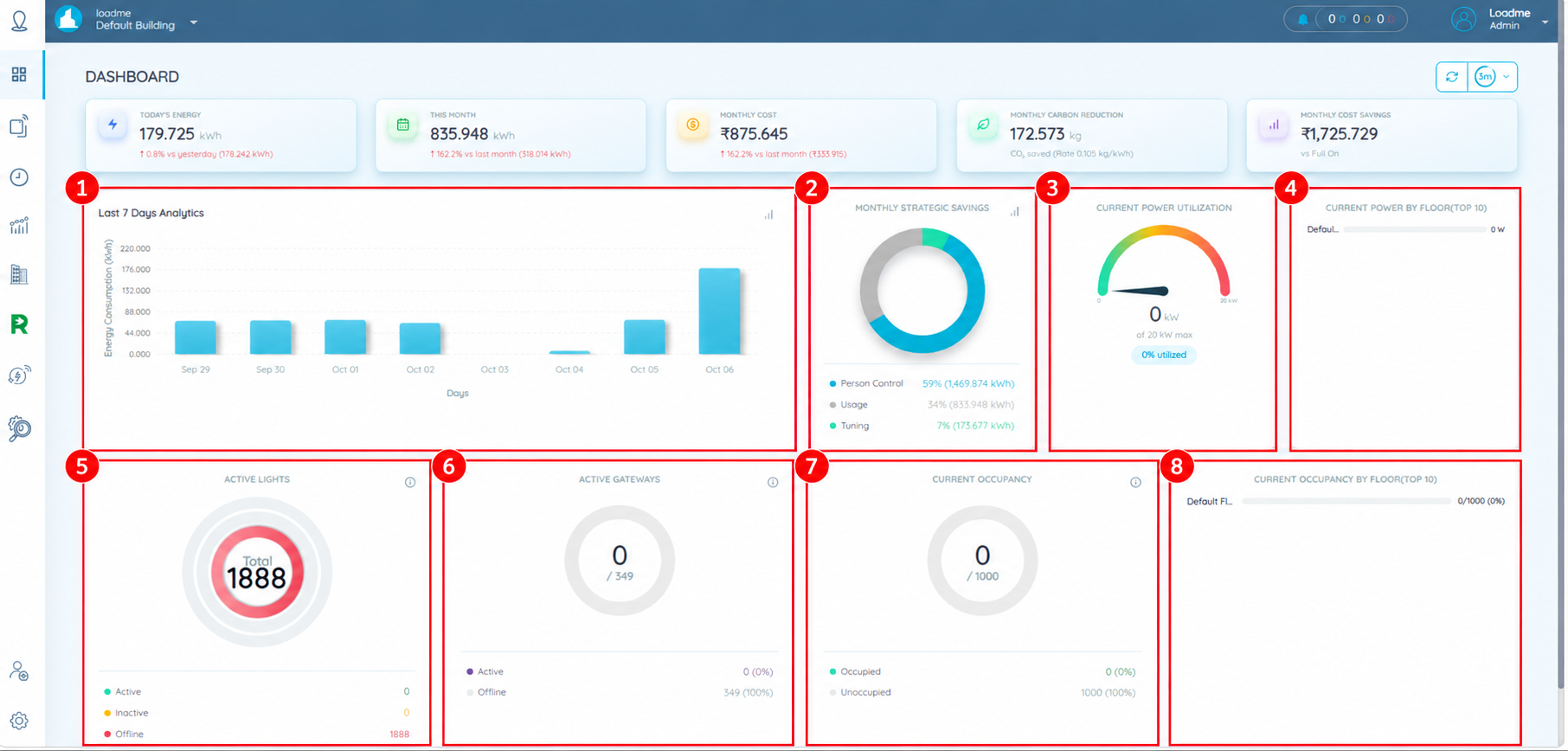
| No. | Chart | Description |
|---|---|---|
| 1 | Last 7 Days Analytics | Displays daily energy consumption in kWh to help compare usage across the displayed dates. |
| 2 | Monthly Strategic Savings | Shows the monthly breakdown of energy usage and savings categories, including Person Control and Tuning. |
| 3 | Current Power Utilization | Displays current power demand in kW and its percentage of the configured maximum. |
| 4 | Current Power by Floor (Top 10) | Displays current power demand by floor for up to ten floors. |
| 5 | Active Lights | Shows the total number of lights and their status: Active, Inactive or Offline. |
| 6 | Active Gateways | Shows active gateways out of the total, with an Active/Offline breakdown. |
| 7 | Current Occupancy | Displays the current occupancy count against the configured total, with an Occupied/Unoccupied breakdown. |
| 8 | Current Occupancy by Floor (Top 10) | Displays occupancy counts and percentages by floor for up to ten floors. |
Was this article helpful?
That’s Great!
Thank you for your feedback
Sorry! We couldn't be helpful
Thank you for your feedback
Feedback sent
We appreciate your effort and will try to fix the article